5,000+ downloads
Construction Cost Calculator
Helping people estimate materials and budget before they build.
View calculator on Google Play (opens in a new tab)Track every bag of cement, every mason-day, and every rupee. Log materials, labor, and payments from your phone — and show your client abroad exactly where the money went.
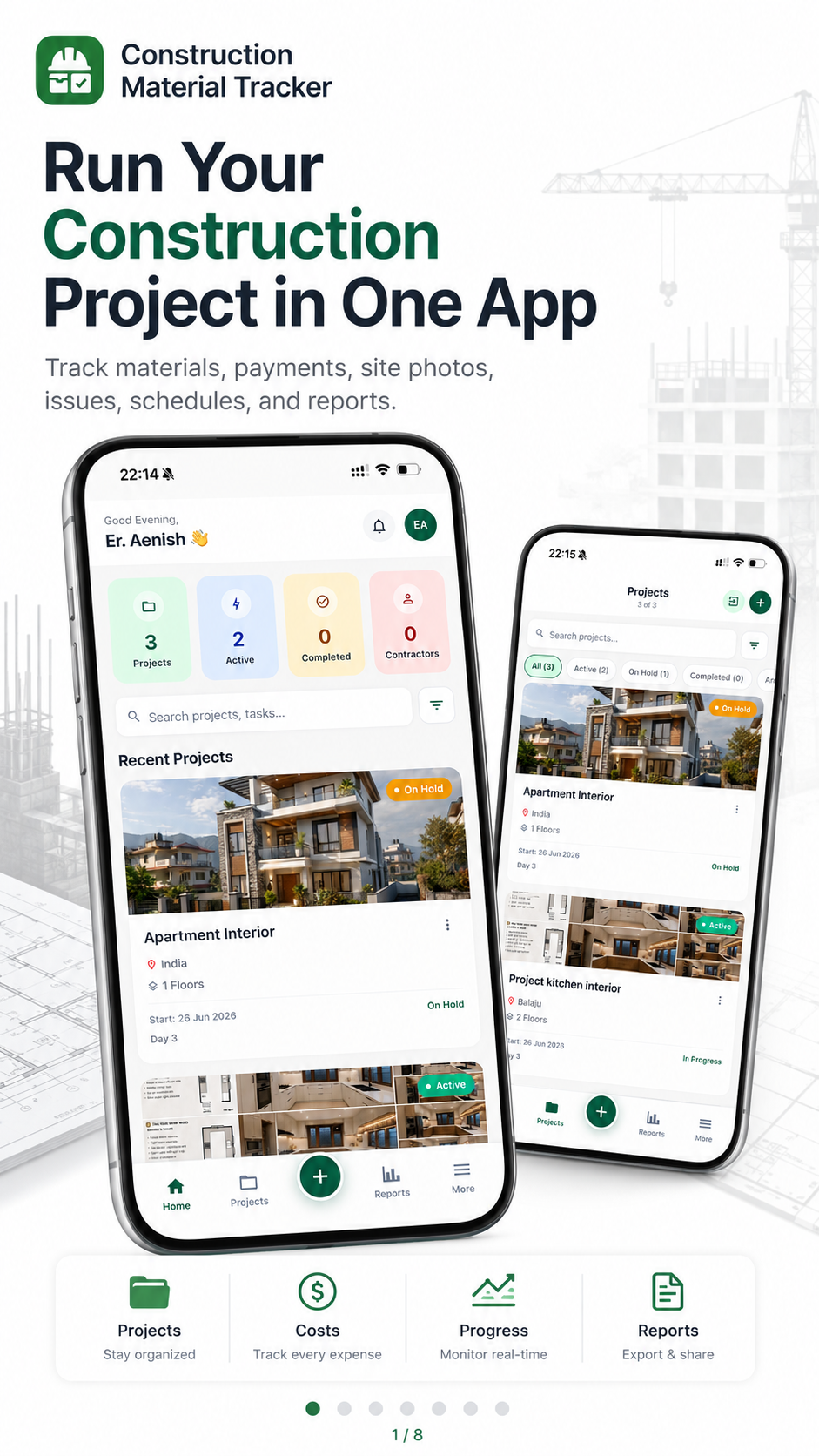
A quick look at how site owners, contractors and families keep every rupee and every bag of cement on record.
No training, no spreadsheets. Create a project, log site activity and share proof — start the day you install.
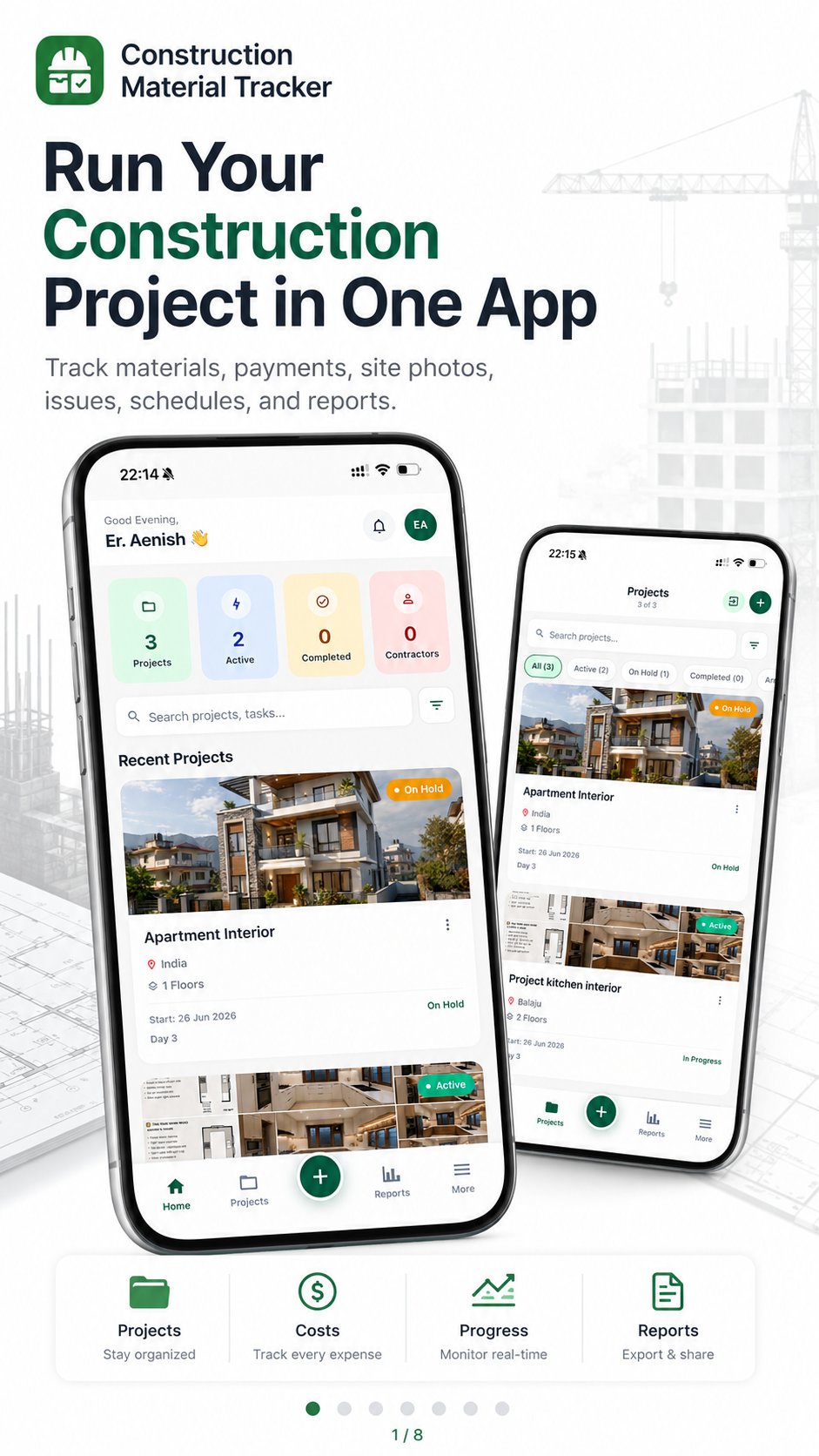
Get the app free on Google Play — or start in Guest mode. Open the home dashboard to see projects at a glance.
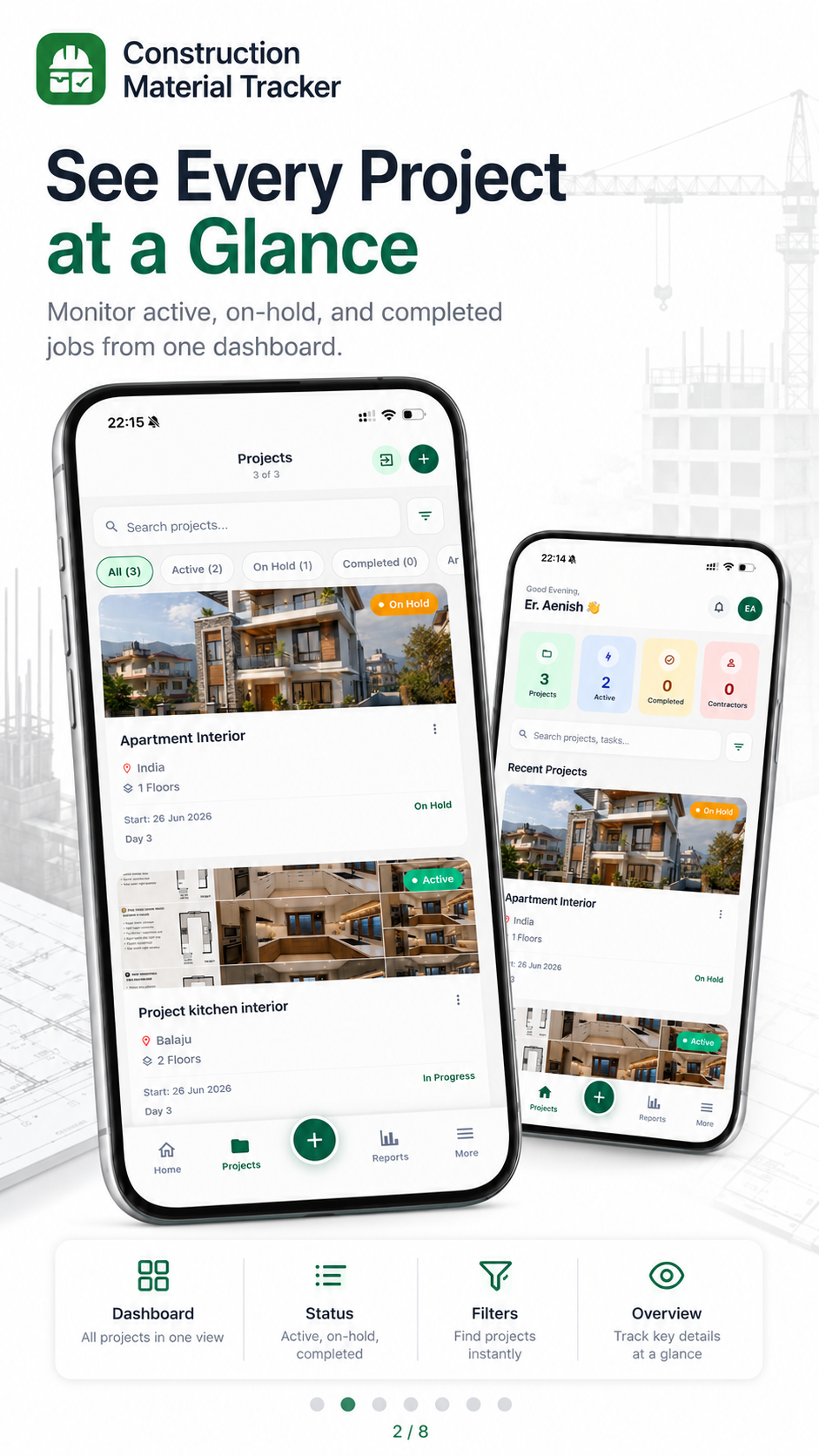
Tap to add a new project: site name, location and who is building it. You can edit details anytime from the project screen.
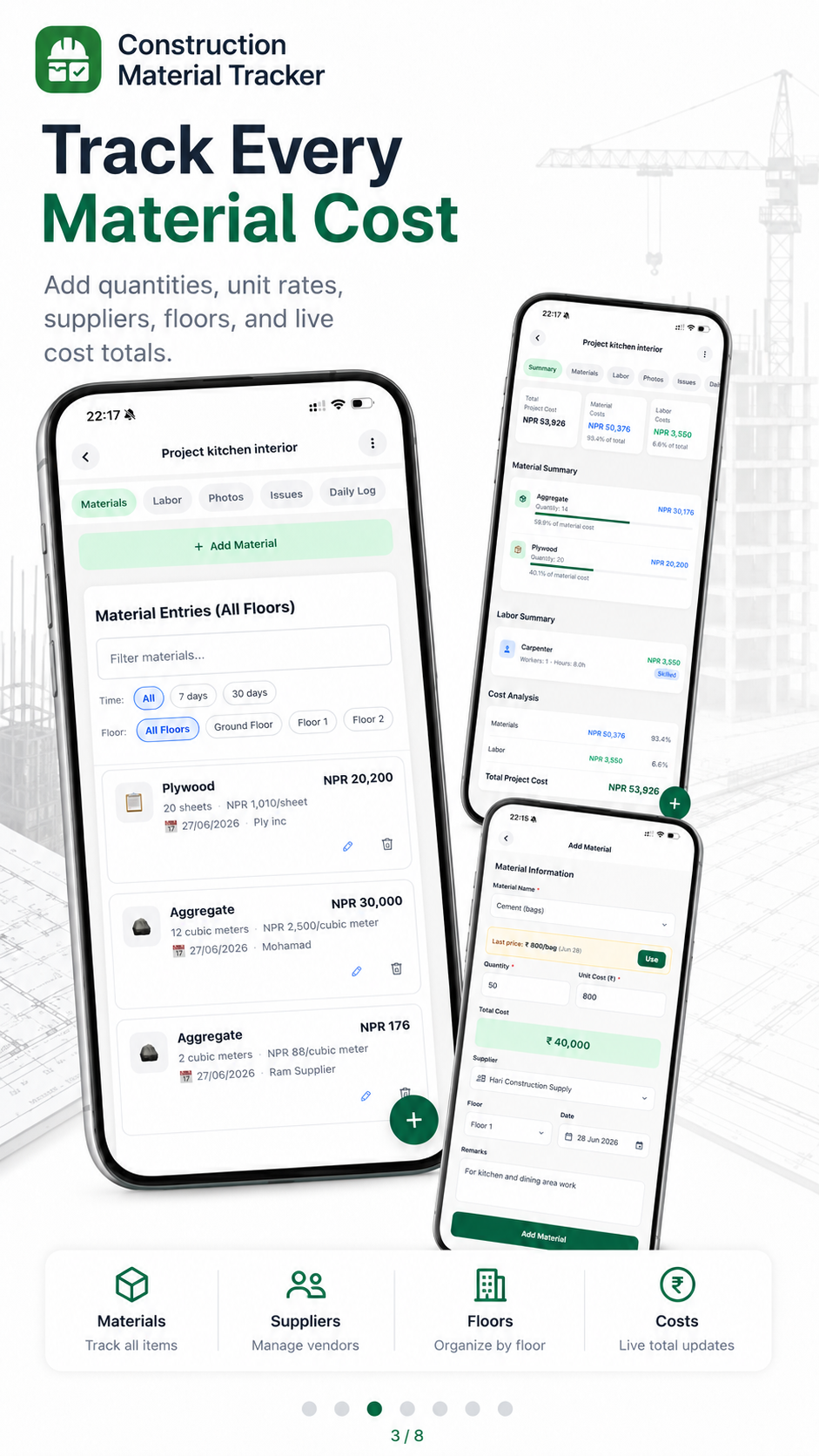
Record cement, rod, sand, mason-days and every payment with quantity, rate and supplier — as the day happens on site.
Attach dated progress photos, invite your client or engineer, and export a clean PDF report they can trust from abroad.
Meet the founder
Founder of GharNaksa · App developer
From the first cost estimate to the last site update, Aenish builds apps that make construction easier to understand and manage. His work spans construction calculators, modular site trackers and tools for AI-generated house plans.
What he's building
5,000+ downloads
Helping people estimate materials and budget before they build.
View calculator on Google Play (opens in a new tab)Nearly 3,000 downloads
Modular site tracking for materials, labor, payments and daily progress.
View tracker on Google Play (opens in a new tab)In development
Developing new ways to turn house ideas into early planning concepts.
Follow the progress on TikTok (opens in a new tab)Materials, labor and cash move every single day. Without a clear record, trust erodes and money slips away.
Paper receipts pile up, fade and go missing. When it is time to settle accounts, the numbers never match.
Cash flows to suppliers and labor daily, but there is no running record — so trust breaks down fast.
You are funding a house 10,000 km away and rely on phone calls and blurry photos to know what is really happening.
Photos, voice notes and numbers scattered across chats. Nobody has the full picture in one place.
Ten ways to keep your construction project organised, transparent and under control — all from your phone.
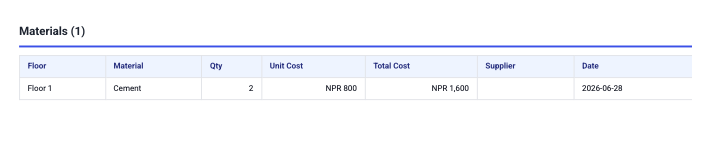
Log cement, sand, rod, aggregate and bricks as they arrive. Record quantity, rate and supplier so nothing slips through the cracks.
Track mason-days, labor rates and attendance. See exactly how much your crew worked and what it cost you.
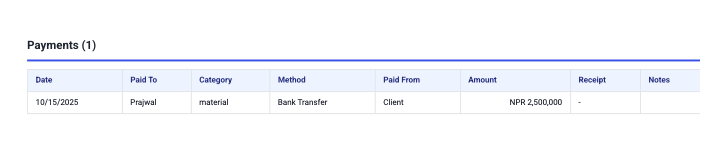
Record every payment to suppliers and workers. Keep a running ledger so balances are always clear.
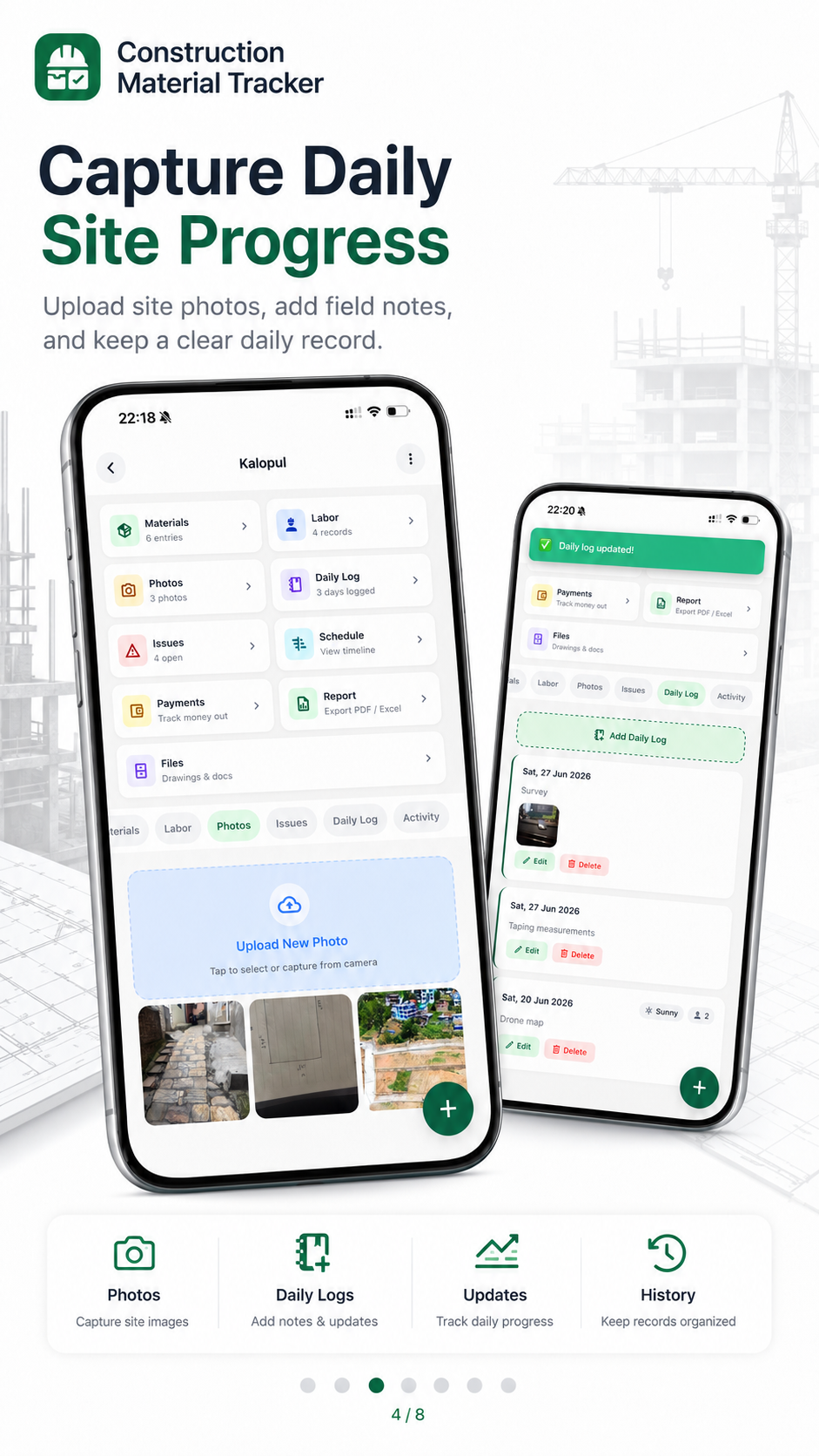
Capture daily logs of work done, weather and site notes. Look back at any day of the project in seconds.
Raise and track site issues before they become expensive. Assign, comment and resolve without losing the thread.
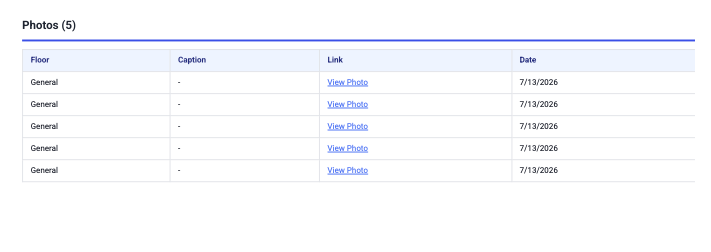
Attach site photos to each stage of construction. Give your client a visual record of real progress.
Break the build into a WBS with checklists per floor and task. Tick off milestones as the structure rises.
Store maps, drawings and documents against the project. Find the right file without digging through chats.
Export a professional PDF report of materials, labor and payments. Send a statement your client actually trusts.
Add your client, engineer or site supervisor to collaborate. Everyone sees the same numbers in real time.
Real screens from the app — from your project home to material costs, payments, schedules and shareable reports.
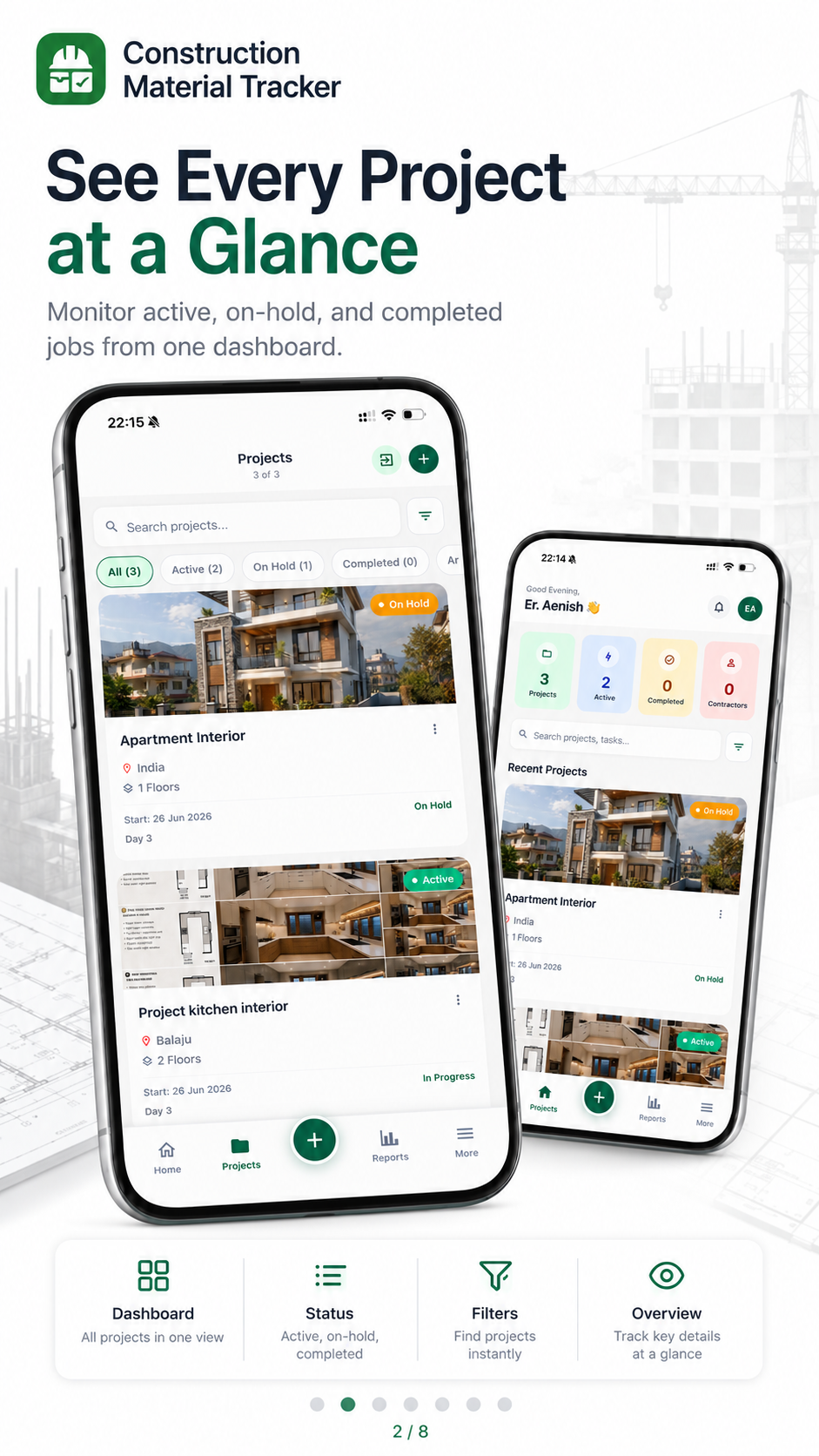
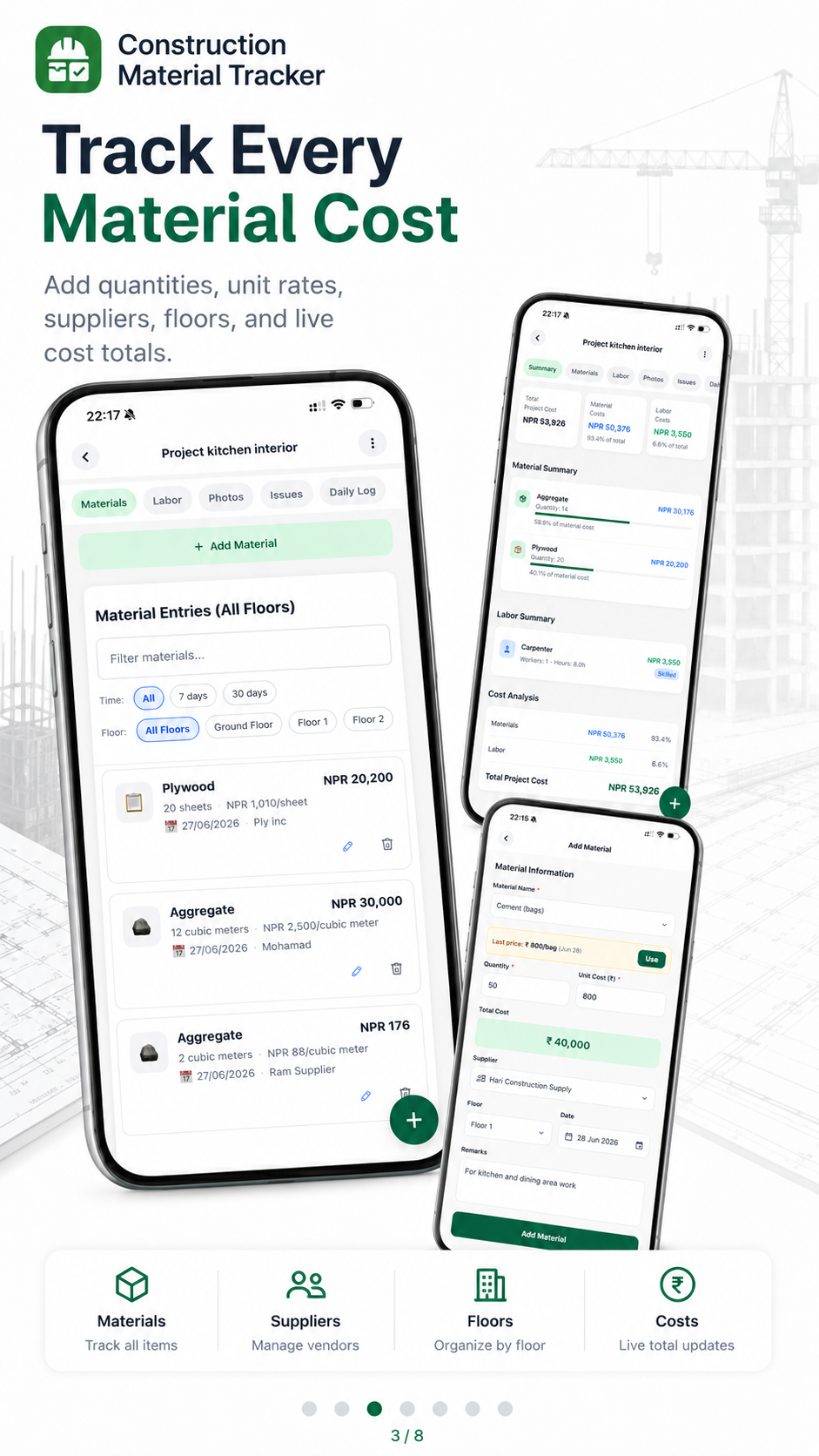
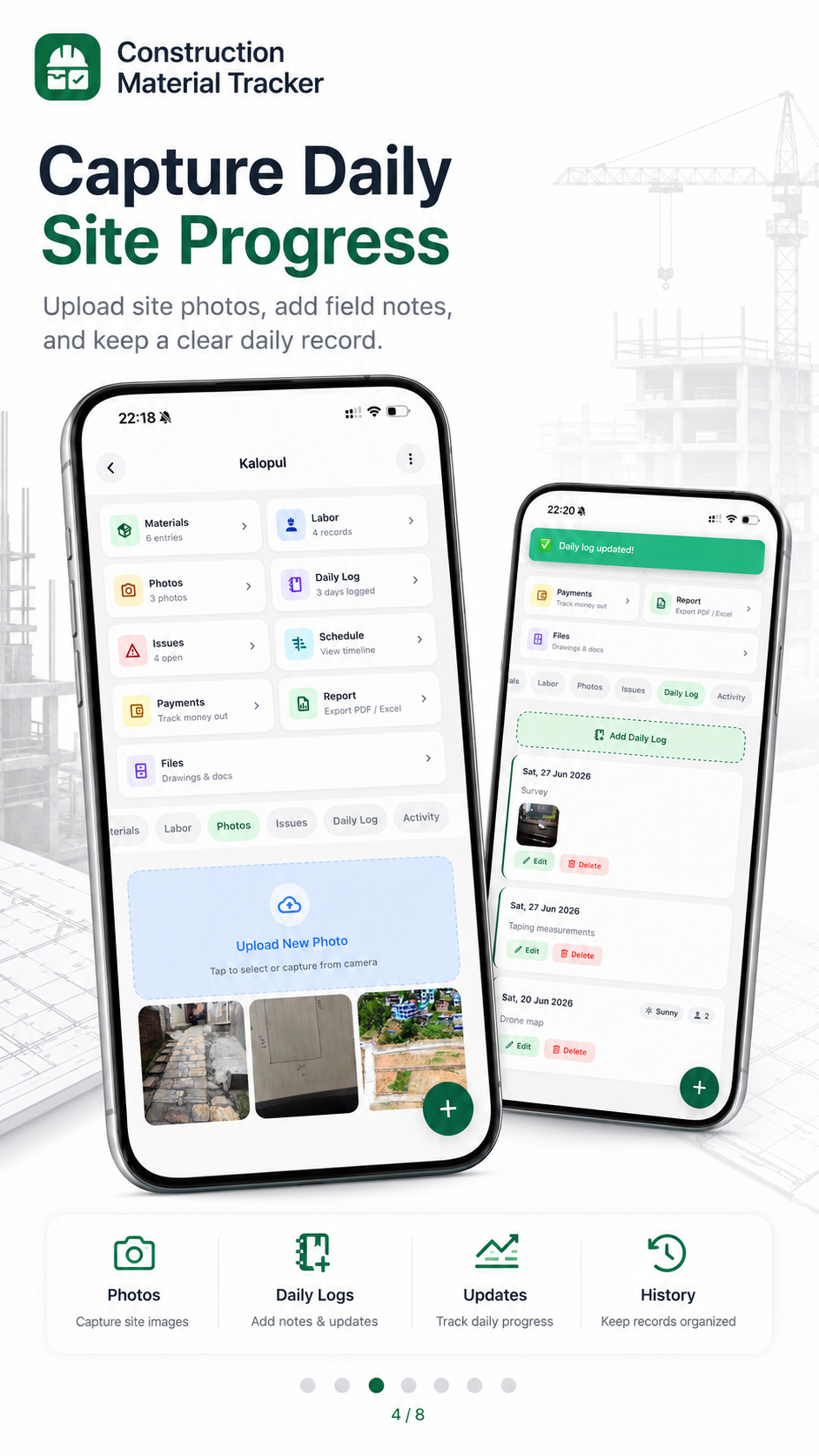
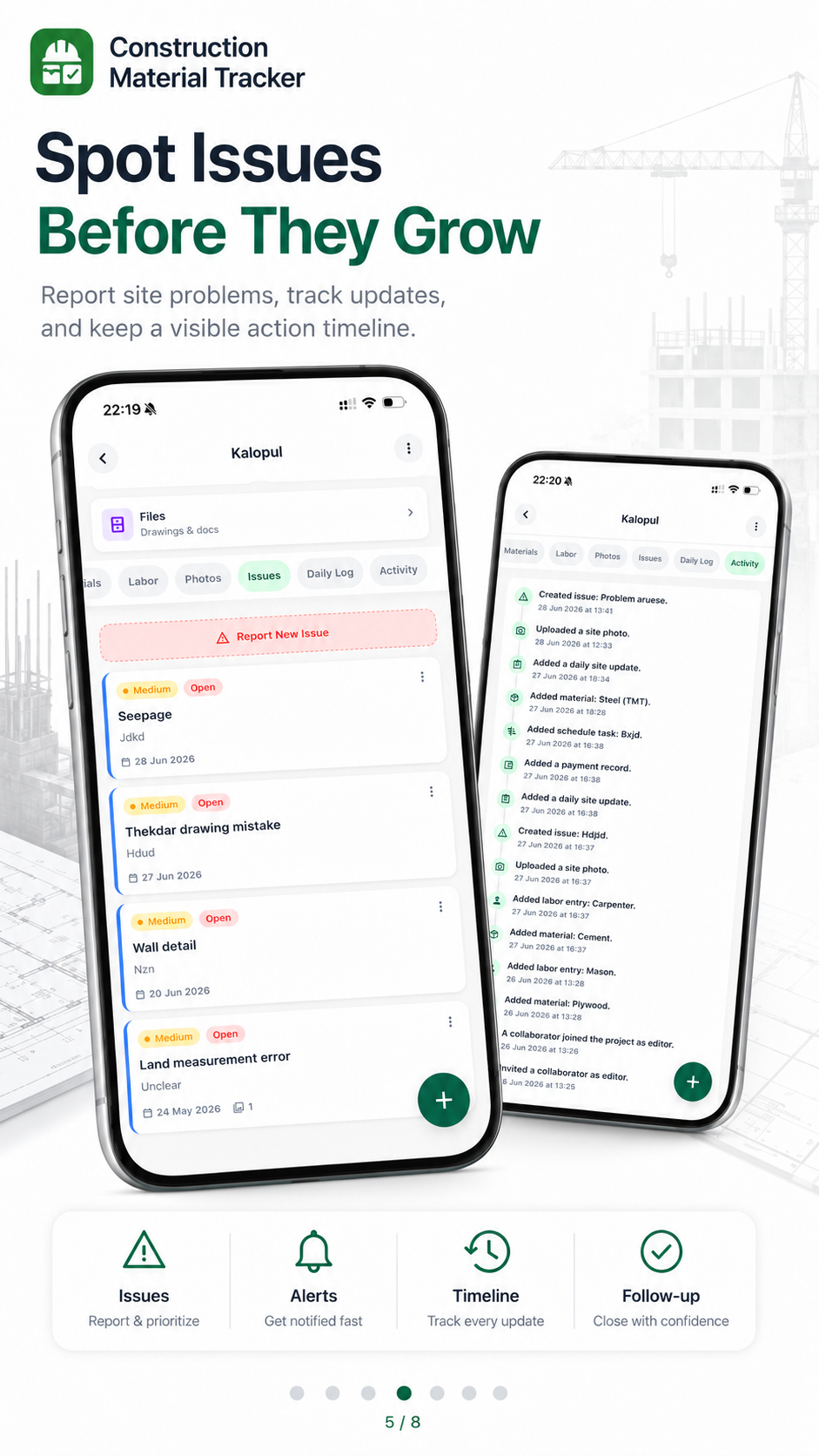
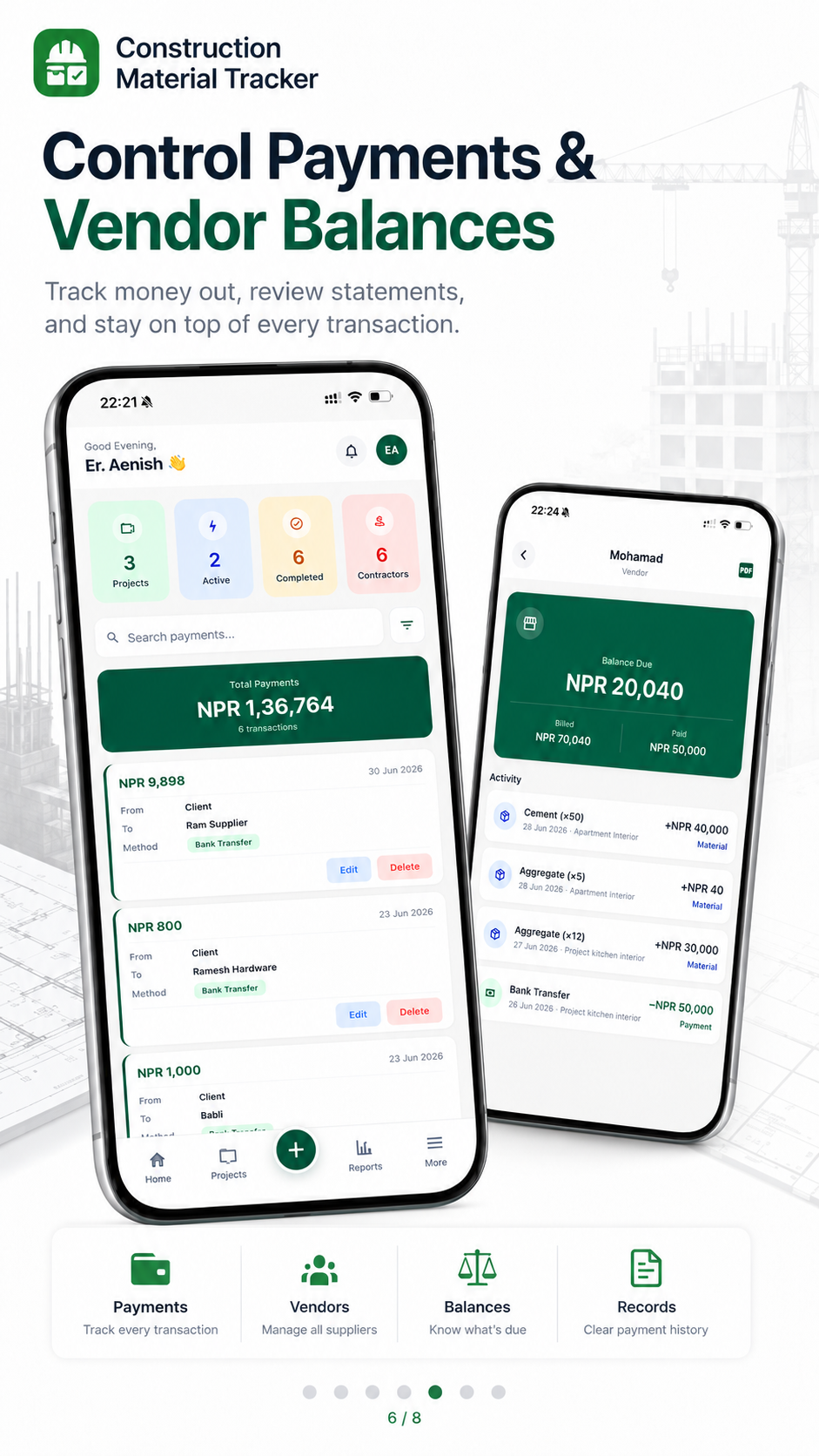
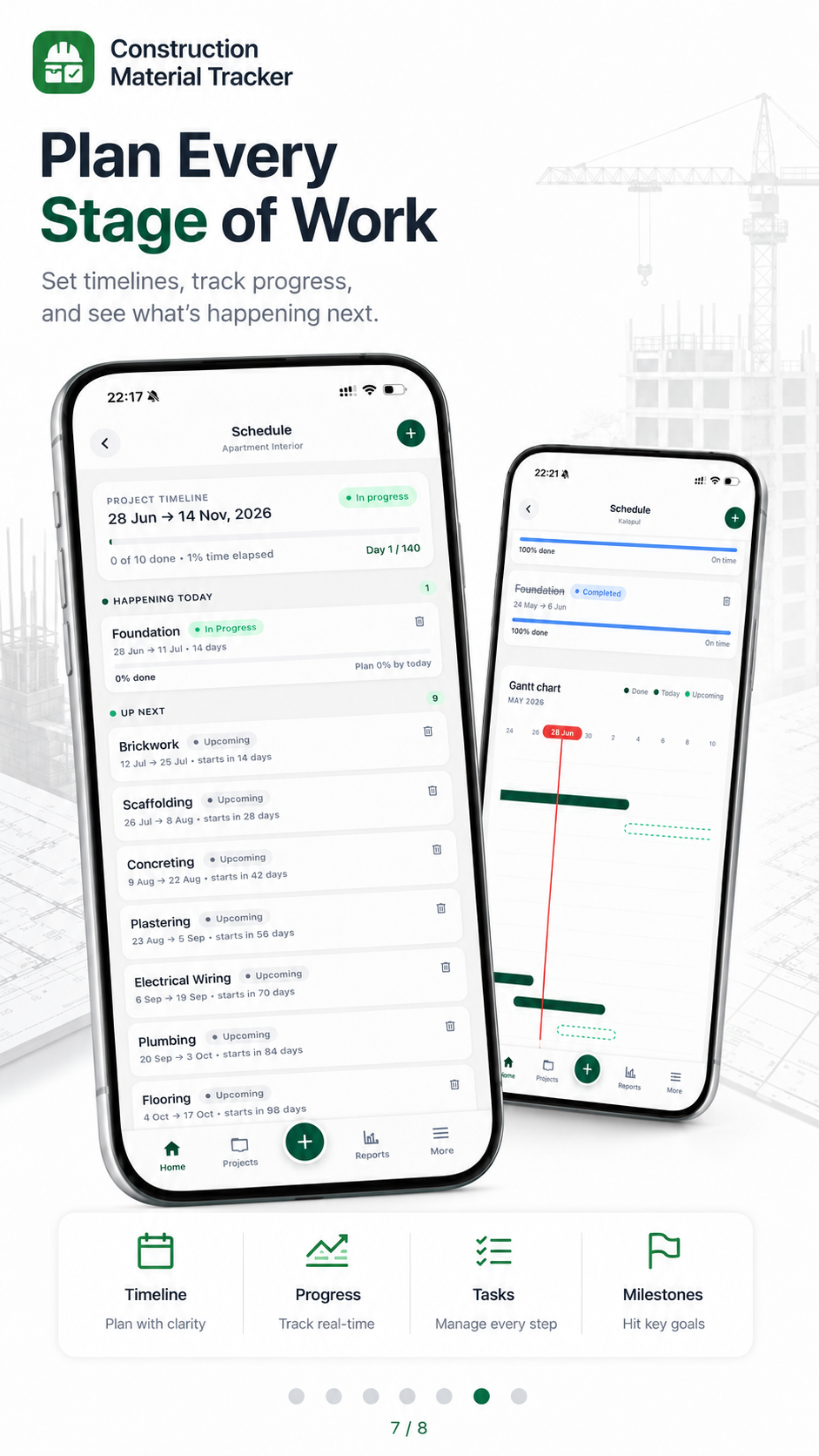
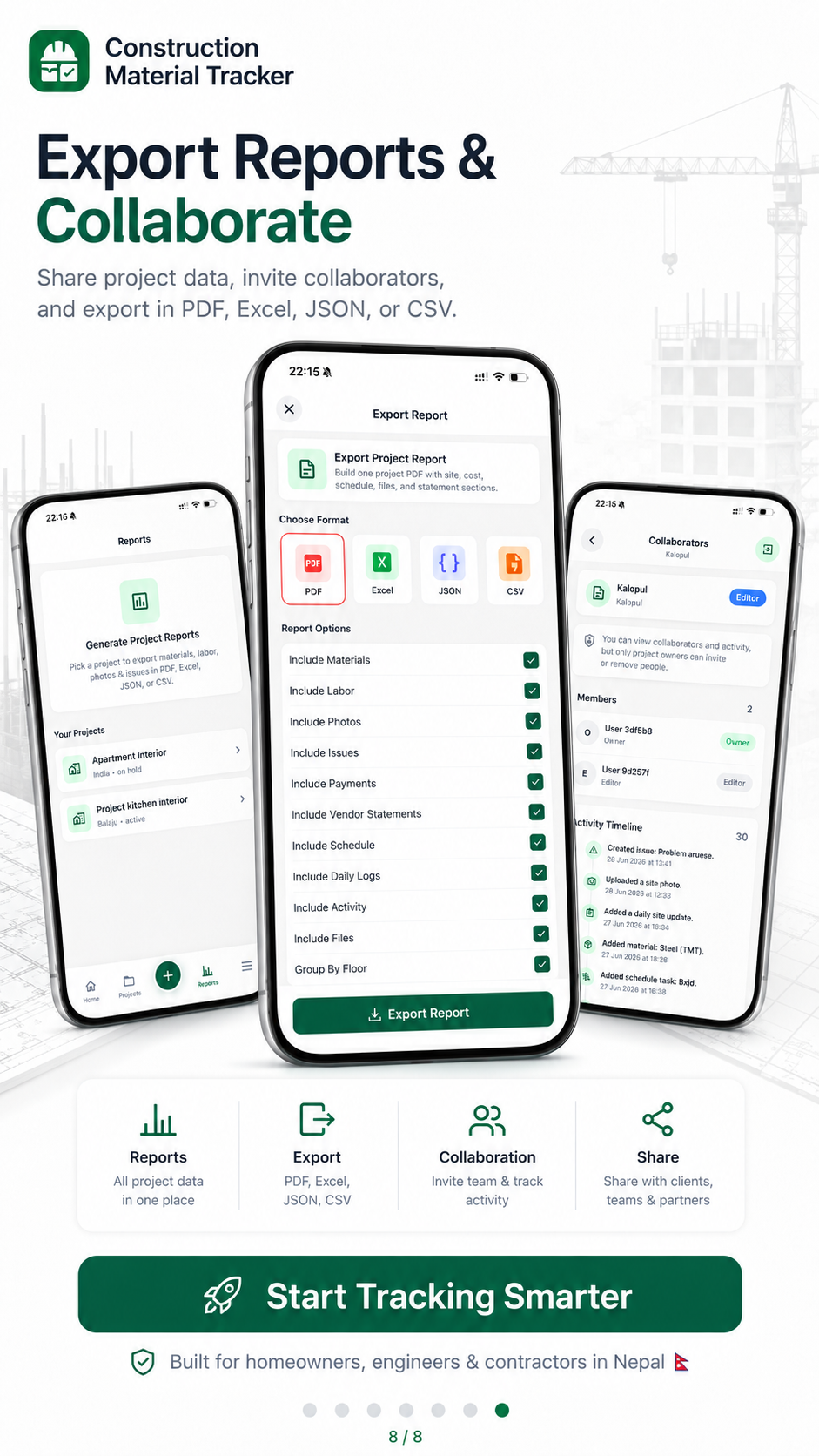
Fund your build from anywhere in the world and stay in control. See what is happening on site without the guesswork.
Free home loan tools
Price a Nepal home or construction loan the way a reducing-balance EMI actually works. See the monthly installment, a year-by-year schedule, what a prepayment saves, and how much income a bank may allow you to borrow.
EMI + schedule
Monthly payment, interest split and a month-by-month table you can prepay against.
Prepayment savings
See new tenure or new EMI after a one-time extra payment and bank charges.
Eligibility check
Income, FOIR and loan type — including construction and NRN structures.
Loan details
Monthly Payment (EMI)
Rs. 46,606.56
20 years · 9.5% reducing balance
Amortization
Each row is one EMI. Use Add to test a one-time extra payment in that month — the remaining schedule updates immediately.
| Month | EMI Amount | Interest | Principal | Balance | Prepayment |
|---|---|---|---|---|---|
| September | Rs. 46,606.56 | Rs. 39,583.33 | Rs. 7,023.23 | Rs. 4,992,976.77 | |
| October | Rs. 46,606.56 | Rs. 39,527.73 | Rs. 7,078.83 | Rs. 4,985,897.95 | |
| November | Rs. 46,606.56 | Rs. 39,471.69 | Rs. 7,134.87 | Rs. 4,978,763.08 | |
| December | Rs. 46,606.56 | Rs. 39,415.21 | Rs. 7,191.35 | Rs. 4,971,571.73 | |
| Total | Rs. 186,426.24 | Rs. 157,997.97 | Rs. 28,428.27 |
Home loan structures in Nepal
A construction-linked home loan is not the same product as a ready-house mortgage. Tenure, disbursement, documents and when interest starts all change. Use the tabs above to price the monthly number, then read the structure you are actually signing.
One sanction against a completed house or apartment. Disbursement is usually faster once the sale deed, valuation and insurance are in place. EMI starts on the full released amount.
Sanctioned against land + approved drawings + a cost estimate. Money is released in stages (foundation, each slab, brickwork, finishing). Interest accrues only on what has already been disbursed — early EMIs can look smaller than the full-loan EMI.
Two linked facilities: a land tranche first, then construction tranches. Confirm both tenures, both rates and whether the land EMI is absorbed into the construction EMI later.
Shorter tenures, smaller tickets. Banks want a written scope (kitchen, bathrooms, extra floor). Pair this with the renovation and interior calculators so the file matches the site plan.
Foreign income is accepted by several Nepal banks if a local co-borrower signs and remittance history is clean. Many diaspora families take a smaller local loan and send equity in stages — that mix often costs less than leveraging the full build.
Extra borrowing on a house you already own, or on a running home loan. Useful for a later storey, interiors or a second plot. LTV is measured on current valuation, not the original purchase price.
Agree the tranche schedule in writing and align it with contractor milestones. A delayed photo record or missing bill can stall the next release exactly when the mason needs cement.
The first years of a long loan are interest-heavy. A prepayment in year one usually saves more than the same amount in year twelve. Check lock-in and foreclosure charges first.
Processing fee, valuation, legal, insurance, stamp duty and municipality charges sit outside this calculator. Keep them in the project budget, not in the EMI line.
Worked EMI, prepayment and eligibility examples are in the home loan EMI calculator guide. For papers and tranche disbursement, read the home loan process article, then track actual site spend in GharNaksa so each bank inspection is quick.
Same calculator, with FAQs and a dedicated URL for sharing: Home Loan EMI Calculator Nepal.
Create a project, edit details, log materials and payments, add progress photos, then export a report — step by step for GharNaksa on Android.
~1 minute walkthrough · Real app screens · Full written tutorial →
Step 01
Get GharNaksa on Android and open the home dashboard.
Step 02
Set up each site as its own project with name and location.
Step 03
Update project details whenever the job changes.
Step 04
Track every bag of cement, rod, sand and brick delivery.
Step 05
Keep a dated diary of work done with proof photos.
Step 06
Catch problems early before they become expensive.
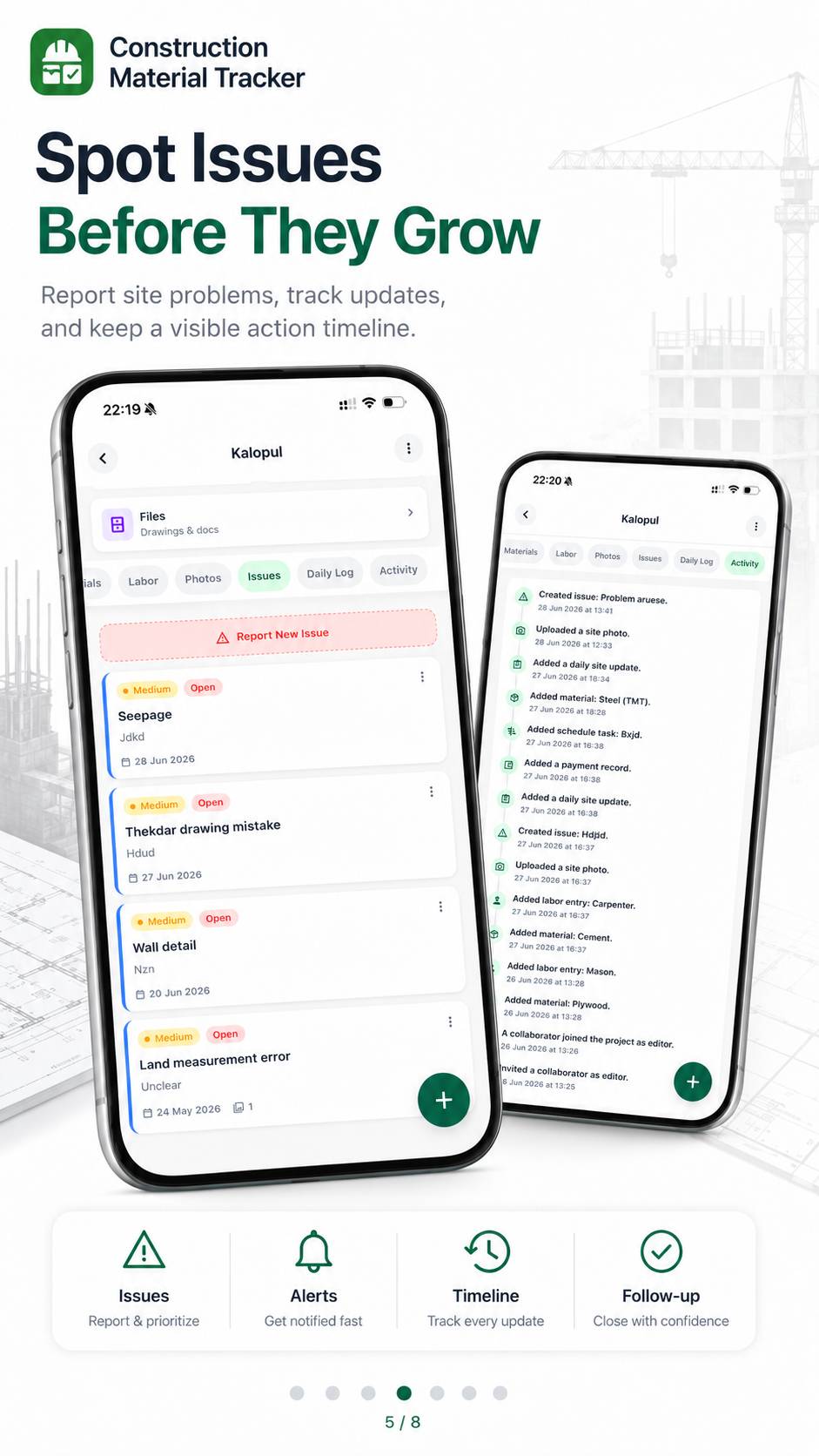
Step 07
Know who was paid what — suppliers, labor and stage bills.
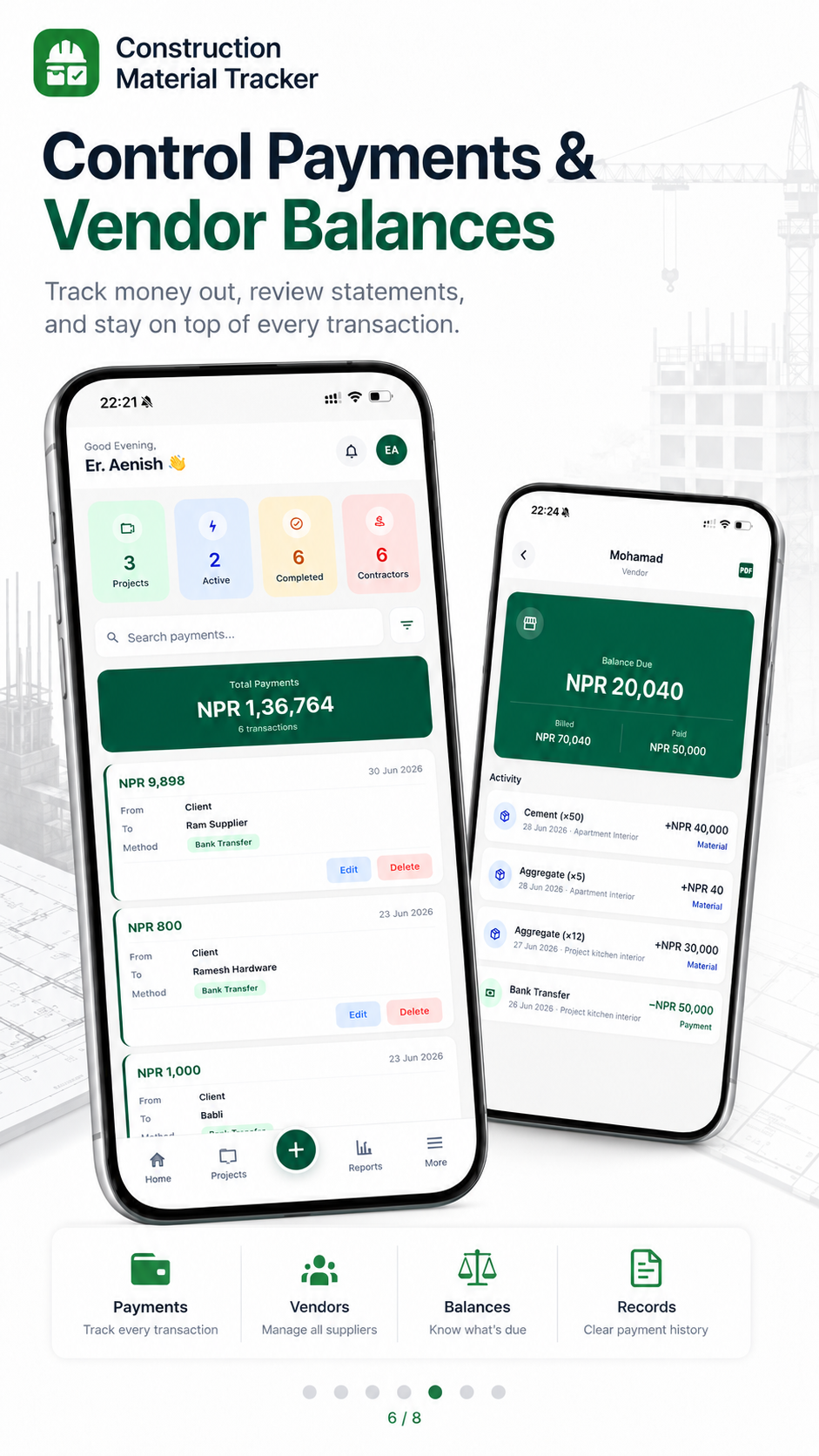
Step 08
Break the build into milestones you can tick off.
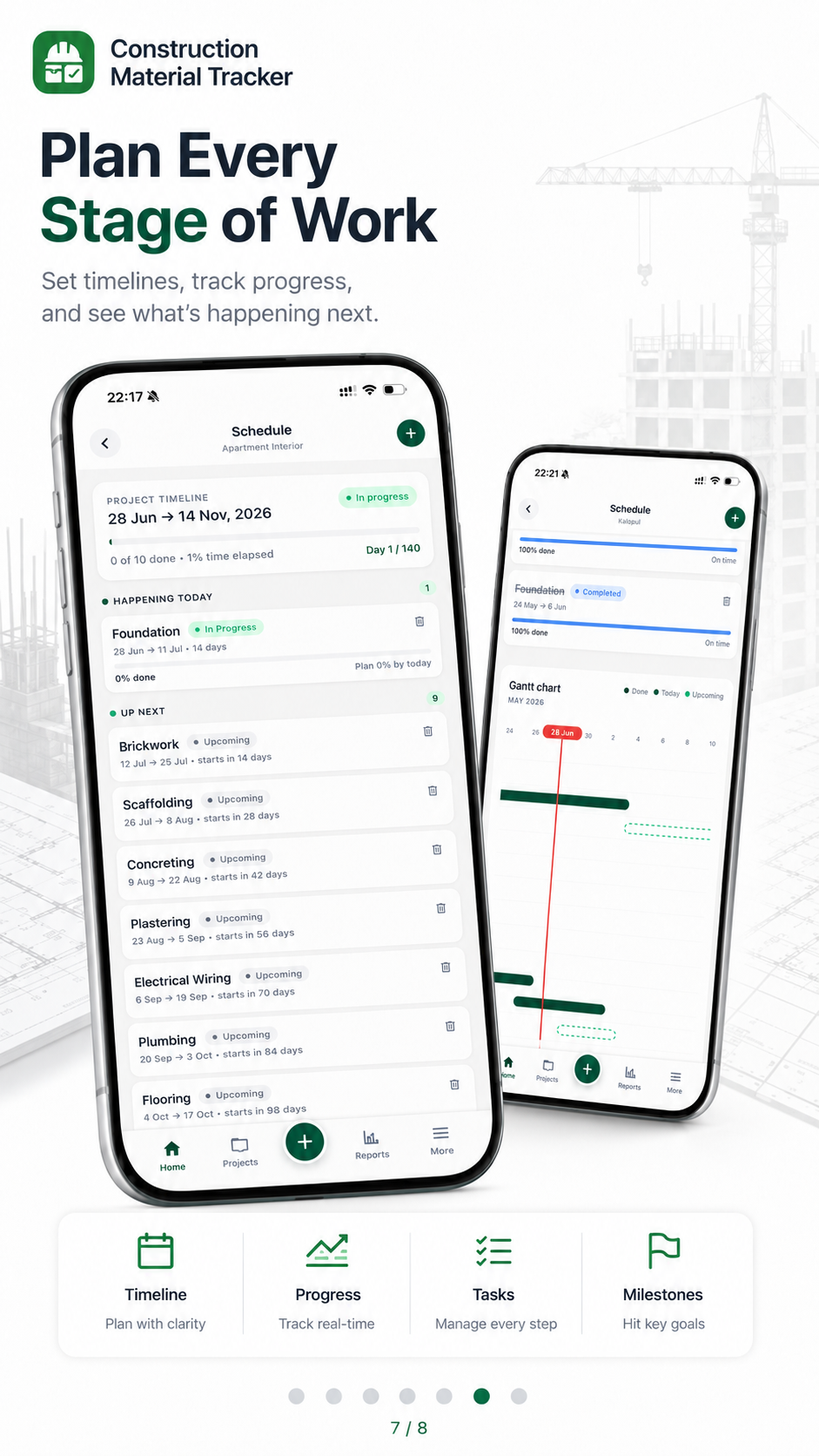
Step 09
Share a professional PDF instead of scattered WhatsApp numbers.
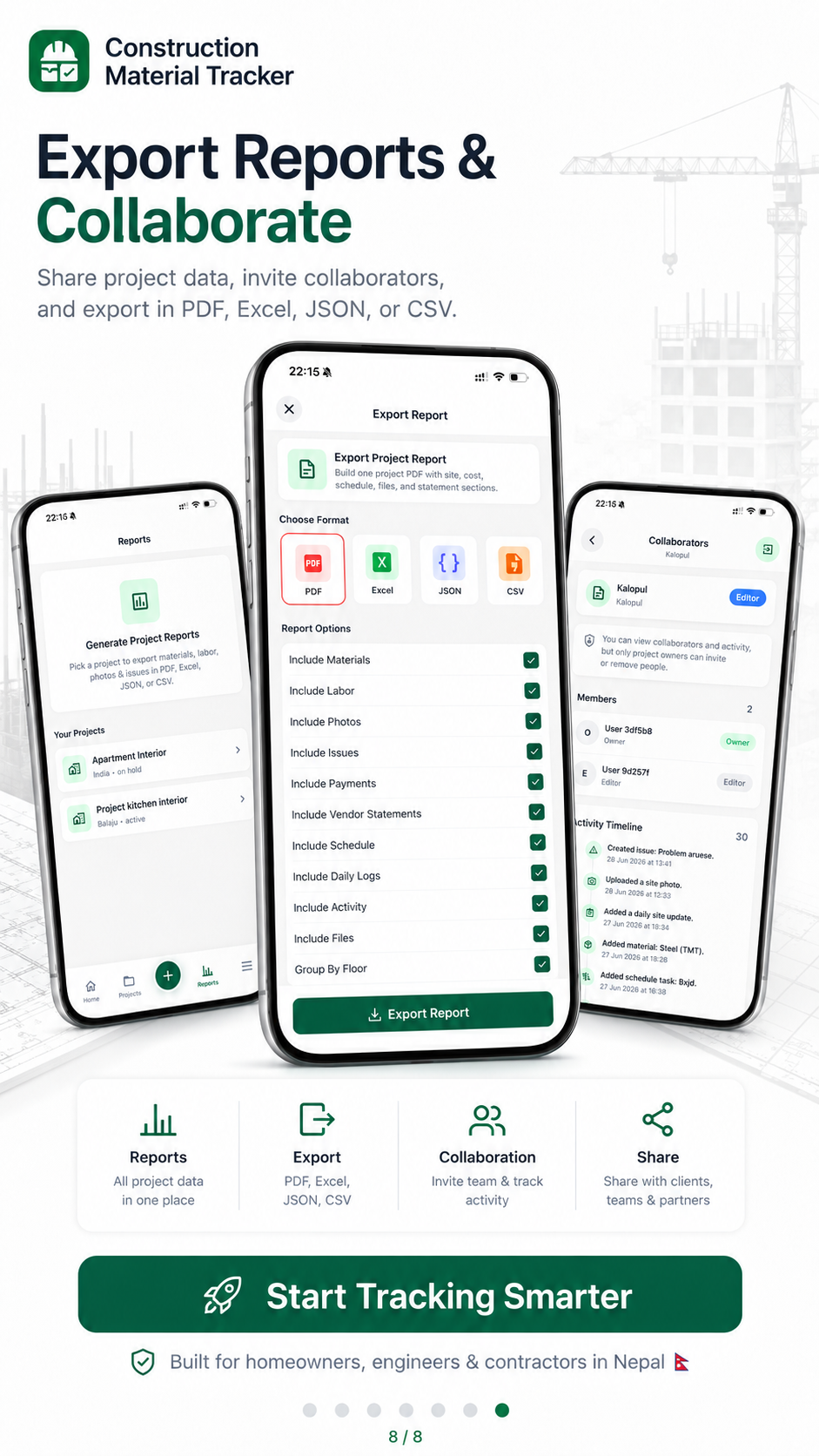
Install GharNaksa, create your first project, and log the next material delivery today. Full written guide available on the blog.
Explore GharNaksa and try tracking a project without creating an account. When you are ready, create an account to sync, back up and collaborate.

Scheduled engineer visits become an organised project record: progress photos, visible-work observations, materials, payments, issues, upcoming decisions and downloadable reports in one private dashboard.
Photos and observations tied to the visit and stage.
Review recorded work and supporting notes before release.
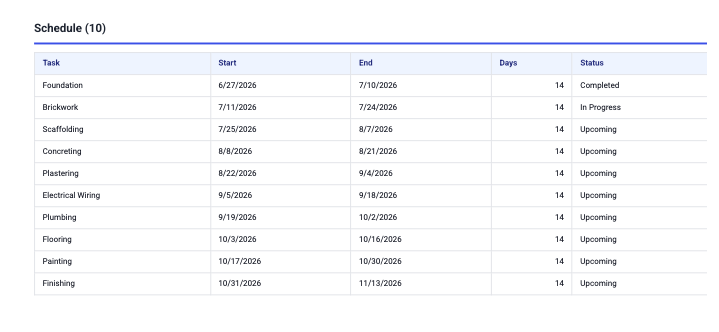
See completed, active and upcoming construction tasks.
Keep the client, contractor and engineer on the same facts.
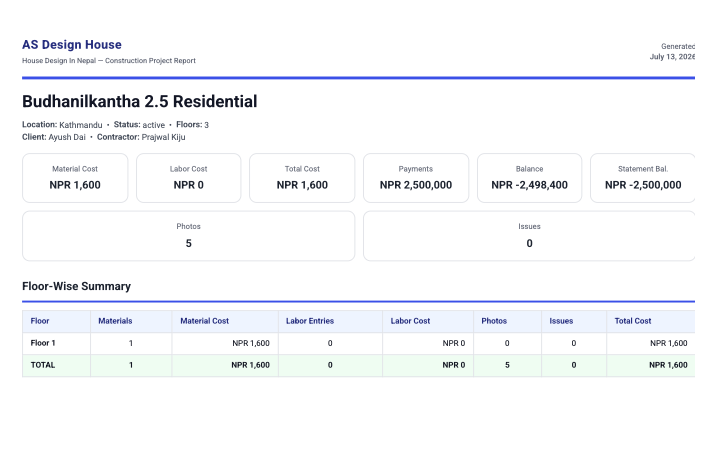
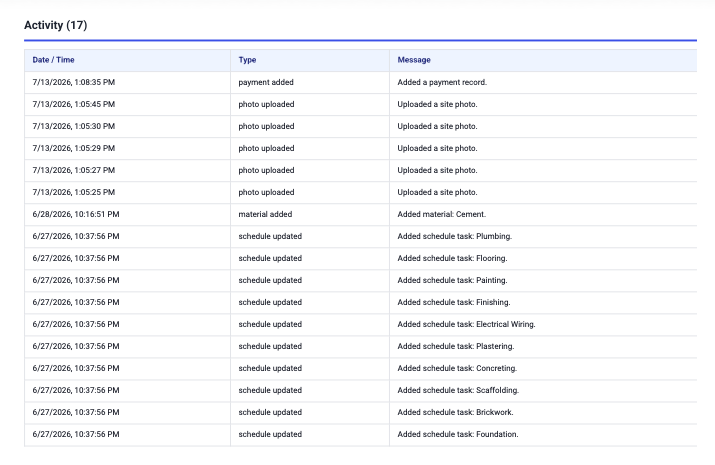
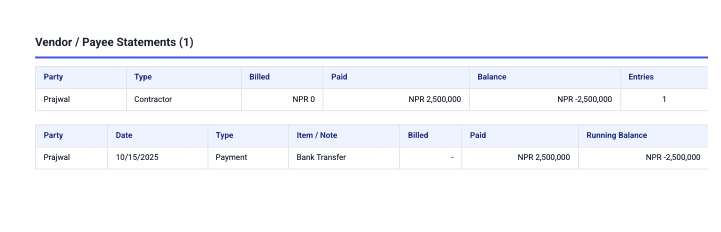
A residential project reporting setup designed to replace scattered updates with one reviewable record for schedule, site photos, material entries, payments and contractor statements.
Construction information was spread across conversations and separate records, making stage and payment review difficult.
A shared project record organised the programme, activity trail, site photos, materials, payments and vendor statements.
The homeowner could review the same dated information remotely and raise questions from one report instead of reconstructing the story from chat.
Sample records are shown to demonstrate the reporting format. Figures reflect the supplied project snapshot and should not be read as a final account or engineering certificate.
Report content depends on the selected package, information available on site and the visible work at the time of inspection. Monitoring is not a substitute for full-time supervision, structural design or statutory approval.
Use GharNaksa free to organise construction. Upgrade for more projects, collaboration, backup and reporting—or add independent engineer monitoring.
For one small project
NPR 0
For serious homeowners and engineers
NPR 699/month
or NPR 5,999/year
For contractors and consultancies
From NPR 2,999/month
Independent engineer visits plus a private project dashboard. Visit frequency and scope are confirmed after reviewing the project stage, location and contractor arrangement.
4 visits / month
For clients with a trusted contractor who mainly need structured visibility.
NPR 14,999 / month
8 visits / month
Our main monitoring package for independent checks and payment visibility.
NPR 29,999 / month
Up to 12 visits / month
Stronger remote oversight for owners living outside Nepal.
NPR 49,999 / month
Daily or near-daily
For projects needing close involvement in day-to-day execution.
From NPR 75,000 / month
Project onboarding from NPR 15,000
Includes the initial inspection, drawing and BOQ collection, existing-progress record, dashboard setup, contractor/client onboarding and baseline report. Complex or already-running projects may cost up to NPR 25,000. Extra visits, structural-stage inspections, bill verification, measurement reports, consultations, travel and emergency visits are quoted separately.
From the blog
Costs, interiors, NRN builds and site expense systems that lead into free calculators and the GharNaksa app.
Construction tracker for Nepal
GharNaksa is a construction material and cost tracker app built for house builds in Nepal. Homeowners, contractors, engineers and NRN clients use it to log cement and rebar deliveries, mason-days, supplier bills, stage payments and dated progress photos in one shared project — so everyone sees where the money and the work went.
Before construction starts, plan house design in Nepal, estimate house construction cost, prepare Naksa Pass, and size interiors with free tools for interior finishing, bathroom renovation Nepal, false ceiling, ready made modular kitchen, boundary wall cost, parapet wall cost, materials and land area. During the build, replace estimates with real entries in the app.
Check live planning rates for cement price in Nepal today, how many cement bags for a house, sand and aggregate price, brick price in Nepal, rod (saria) price, 2-storey house construction cost, home loan EMI, prepayment and eligibility (EMI calculator guide) , foundation cost calculator, average cost to build a house, expense tracking and NRN builds from abroad. For 200+ extra free calculators (naapi, FAR, BOQ helpers), use tools.housedesigninnepal.com and design ideas at housedesigninnepal.com.
Track every bag of cement, every mason-day, and every rupee on your site — from your phone, even when you're 10,000 km away.
Loved by builders and the families they build for
“I fund my house in Chitwan from Dubai. For the first time I can actually see every bag of cement and every payment without calling ten times a day.”
Bishal Gurung
NRN homeowner, Dubai
“My clients trust the PDF statements. No more arguments about materials or labor — the numbers are right there.”
Er. Sunita Shrestha
Civil engineer, Kathmandu
“Daily logs and site photos keep my whole crew accountable. I run three sites from one phone now.”
Ramesh Tamang
Contractor, Pokhara
5
Roles built for, from homeowner to NRN client
10+
Ways to track your site in one app
100%
Free to install during launch